AI Crawlability Monitor
Audit your robots.txt, X-Robots-Tag header, meta robots, and llms.txt against 16 AI crawlers. Score, severity, and copy-paste fix snippets per blocked bot.
The Crawlability Monitor checks whether ChatGPT, Claude, Perplexity,
Google AI, and 12 other AI bots can actually fetch your site. It runs in
~2 seconds, scores the result on a 0–100 gauge, and gives you a copy-
paste robots.txt snippet for every blocked bot. Pure deterministic —
zero LLM tokens.
If you're new to the concept, start with How AI bots discover your site for background on search-bot vs training-bot distinctions and what each signal means.
When to run it
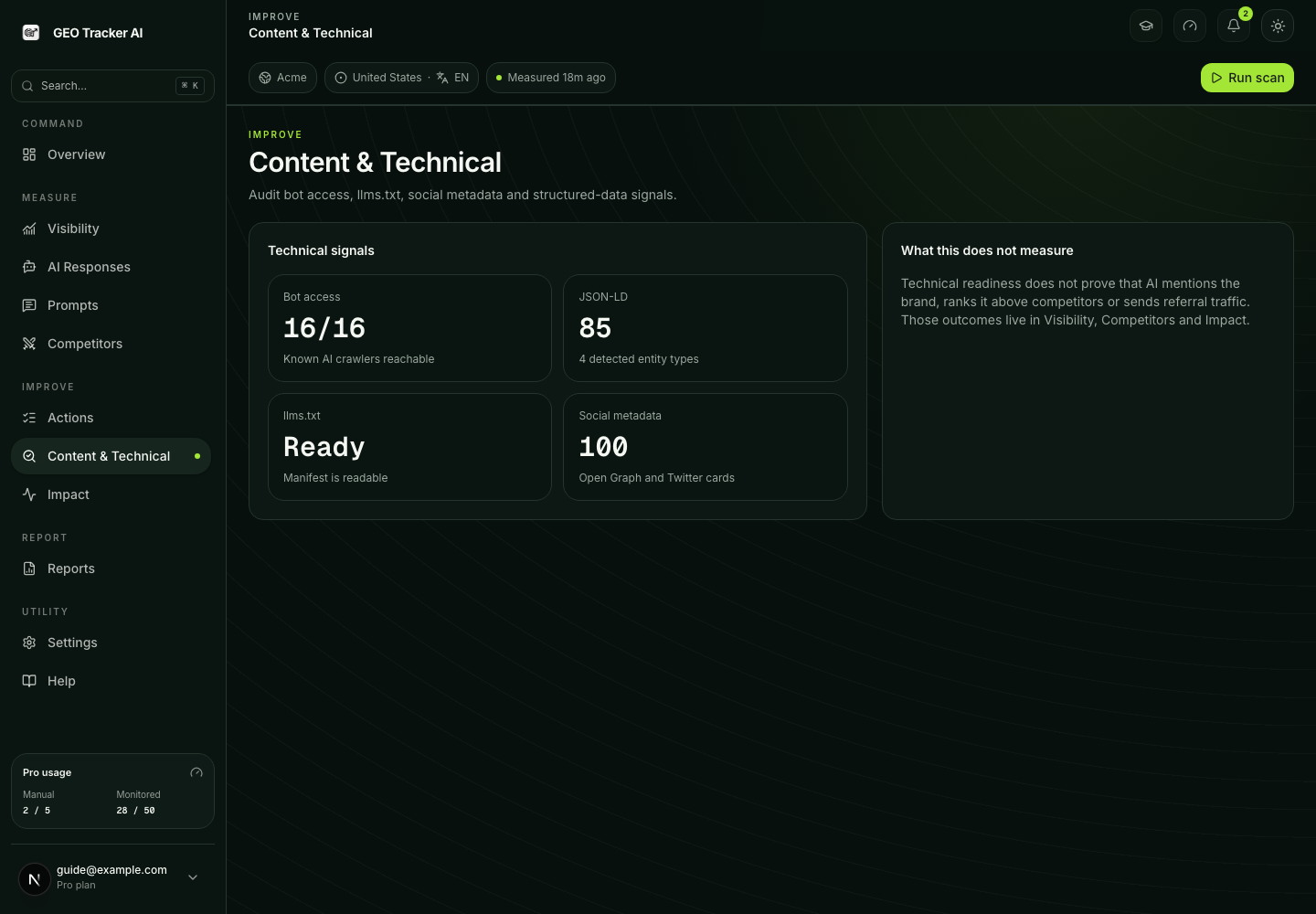
The Monitor lives in Content & Technical at /dashboard/content and runs in
three modes:
| Mode | When | What it does |
|---|---|---|
| Verified-domain activation | A legacy/explicit verification flow completes | The verification action can trigger an initial audit. Ordinary four-step onboarding creates or reuses a pending domain but does not promise this audit. |
| Manual | You click Run first audit / Re-audit now | On-demand audit, rate-limited by tier. |
| Weekly cron | Sundays 03:00 UTC — Starter, Pro, Business, and Scale | Automatic refresh — appears in score history without lifting a finger. |
The audit logic is shared across these triggers. Manual is useful right after you
ship a robots.txt change; weekly is the safety net for accidental
regressions (a CDN deploy that flips on a noindex header, a Yoast
plugin update that wipes your AI bot allows).
How the score is built
We start at 100 and subtract weight per finding:
- Pass =
weight: 1.0— the bot is allowed at the root. - Info =
weight: 0.95— neutral signal (norobots.txt, nollms.txt, noSitemap:directive). Default-allow behavior keeps the score high. - Warning =
weight: 0.5— partial block, training-only bot blocked, or excessiveCrawl-delay. AI visibility partially affected. - Critical =
weight: 0.0— search bot blocked,noindexheader or meta, robots unreachable. Direct hit on AI search visibility.
The composite score weights only the critical-priority bots (OpenAI, Anthropic, Perplexity, Google). Extra-priority bots (Apple, ByteDance, Meta, Common Crawl, Cohere, Diffbot) appear in the matrix but don't move the gauge — exotic-stack penalisation kept off so a B2B SaaS targeting US/EU isn't scored down for ignoring Bytespider.
What each finding tells you
Findings break into two families:
Site-wide checks
These apply to your domain as a whole, not to a specific bot.
| Finding | Severity | What it means |
|---|---|---|
noindex_header | Critical | Your homepage responds with X-Robots-Tag: noindex. Look in your CDN, hosting platform, or framework config — on Vercel this often sits in vercel.json headers; on Cloudflare in a Transform Rule. |
noindex_meta | Critical | The HTML contains a <meta name="robots" content="noindex">. Find the layout / template that renders it and remove or scope the directive. |
robots_unreachable | Critical | robots.txt 5xx or timeout. AI crawlers conservatively assume the site is blocked — fix the underlying server issue. |
no_robots_txt | Info | robots.txt 404. Default-allow, so this doesn't block anything — but adding one lets you point bots at your sitemap and explicitly allow AI crawlers. |
sitemap_missing | Info | No Sitemap: directive in your robots.txt. AI crawlers and search engines use it to discover deep pages. |
crawl_delay_excessive | Warning | One of your robots.txt groups sets Crawl-delay: 30+. Most major bots ignore Crawl-delay, but very high values can still slow legitimate indexers. |
no_llms_txt | Info | No /llms.txt file. Not yet required by any bot, but first-mover advantage is real (llmstxt.org). |
Per-bot findings
| Finding | Severity (typical) | What it means |
|---|---|---|
bot_allowed | Pass | The bot is allowed at the root. |
bot_disallowed | Critical (search) / Warning (training) | An explicit User-agent: <bot> / Disallow: / group is blocking the bot. |
wildcard_disallow | Critical / Warning | A User-agent: * / Disallow: / group is blocking the bot transitively (no per-bot override). |
partial_disallow | Warning | The bot can fetch the homepage but specific paths (/blog, /docs, /pricing) are blocked. The most common reason competitors get cited and you don't. |
The fix drawer
Click any bot row and a side drawer slides in with everything you need to act:
- Markdown explanation. Why the finding matters for this specific bot — search vs training, blast radius if you don't fix.
- Evidence quoted from your site. The exact
robots.txtline or header value that triggered the finding, so you can find it in your codebase or CDN config. - Copy-paste fix snippet. Ready to drop into your
robots.txt. Single click to copy. - Framework hints. Where to put the snippet for
app/robots.ts(Next.js),public/robots.txt(Astro / Vercel / Cloudflare Pages), Yoast / Rank Math (WordPress), or a custom server route. - Vendor documentation link. Direct link to the bot vendor's official crawler page — useful when you need to defend a config choice in a code review.
Plan limits
| Limit | Free | Starter | Pro | Business | Scale |
|---|---|---|---|---|---|
| Crawlability audits / window | 1 | 3 | 5 | 10 | 30 |
| Weekly crawlability cron | no | yes | yes | yes | yes |
Free's audit window is a calendar week (resetting Monday 00:00 UTC); every paid tier's is a UTC day.
The free read-only view is intentional: it surfaces the most damaging findings so you know whether you have a problem, but copy-paste fix snippets and the full 16-bot matrix are gated to paid plans. Business and Scale add real-time email alerts and the Slack mirror on top.
Cost and infrastructure
Three plain HTTPS fetches per audit:
https://yourdomain/robots.txt— capped at 256 KBhttps://yourdomain/— homepage, capped at 512 KBhttps://yourdomain/llms.txt—HEADonly, just for status
Total wall time on a healthy domain is 300–1500 ms. Vercel function budget is 300 s, so the weekly cron processes hundreds of domains sequentially without breaking a sweat.
Zero LLM tokens. All parsing is deterministic: an RFC 9309 robots
parser, an X-Robots-Tag header parser, a regex extractor for
<meta name="robots"> tags. Findings are composed from a static
ruleset, fix snippets are static templates, framework hints are static
strings. No model call at any point.
Trouble-shooting
"My audit shows 100 but Cursor / Stripe / a tool I trust reports us as blocked." Different tools check different signals. We focus on the canonical 16 AI crawlers and the four signals above. If a third- party tool flags something else (e.g. an old OG meta tag, a missing canonical), it's measuring something different — both can be valid.
"Score went from 100 to 50 overnight without us touching robots.txt."
Most likely a CDN or hosting platform update flipped on an X-Robots- Tag: noindex header. Check the latest finding in the site-wide checks
section — the evidence field shows the exact header value we received.
"I want to opt out of training but stay in search." Block GPTBot
and ClaudeBot (training crawlers), keep OAI-SearchBot, Claude-Web,
PerplexityBot, Perplexity-User, and Googlebot allowed. The
Monitor will surface the training blocks as warnings (intentional, not
red) and keep your score in the high 80s — that's the correct visual.
"GPTBot is blocked but my score is still 95-ish, not red." Correct
behavior. GPTBot is training-only — blocking it doesn't kill ChatGPT
live answers (those go through OAI-SearchBot). The warning is
informative, not catastrophic.
"Wildcard disallow flagged everything as critical, score is in the
teens." Add explicit per-bot allows before the wildcard
Disallow: /. The fix snippet in the drawer is exactly the block to
paste. Order in robots.txt doesn't matter for grouping (the longest-
match wins), but for human readability put per-bot blocks at the top.
Related
- How AI bots discover your site — the conceptual backdrop and bot taxonomy.
- Content audit — page-level signals (schema, headings, citations) that come into play after the bot can fetch the page.
- Methodology — how we score every layer of the visibility stack, end-to-end.