Content audit — what we crawl, score, and generate
The multi-page audit that grades how AI-discoverable your site is, plus the JSON-LD and FAQ schema generators that fix the gaps.
The content audit is the part of GEO Tracker AI that grades your own site, not the AI's answers. Once a week (and on demand) we crawl up to the page-cap of your plan, parse each page, and score four dimensions of "is this page set up for AI to cite?". We then generate copy-ready JSON-LD and FAQ schema where the score says you're missing it.
What we crawl
The audit picks pages from your sitemap, ranked by signals AI engines use to weight which pages "represent" your site:
- Homepage — always included, it's the canonical entry.
- Pricing — high citation pull when AI is asked about cost.
- About / company — primary source for brand-identity claims.
- Docs / guides — where AI typically finds technical accuracy.
- Feature / product pages — the noun cards AI uses for "X for use case Y" sentences.
- Blog posts ranked by
lastmodpriority — recent, well-described content scores higher.
Plan caps on how many pages one weekly audit reads:
| Limit | Free | Starter | Pro | Business | Scale |
|---|---|---|---|---|---|
| Content audit pages / week | 0 | 5 | 10 | 25 | 100 |
The homepage is always one of those slots. Free plan has no automated audit — see Pricing.
The four-dimensional readiness score
Each page is graded on:
| Dimension | Weight | What it checks |
|---|---|---|
| Crawlability | 25 % | HTTP status, render mode, canonical, robots, language tags. |
| Semantic markup | 30 % | JSON-LD coverage, schema.org type fit, structured data validity. |
| Content clarity | 25 % | Title + meta description fitness, H1, semantic heading flow. |
| Citation friendliness | 20 % | Author + date metadata, source links, FAQ structure, alt text on images. |
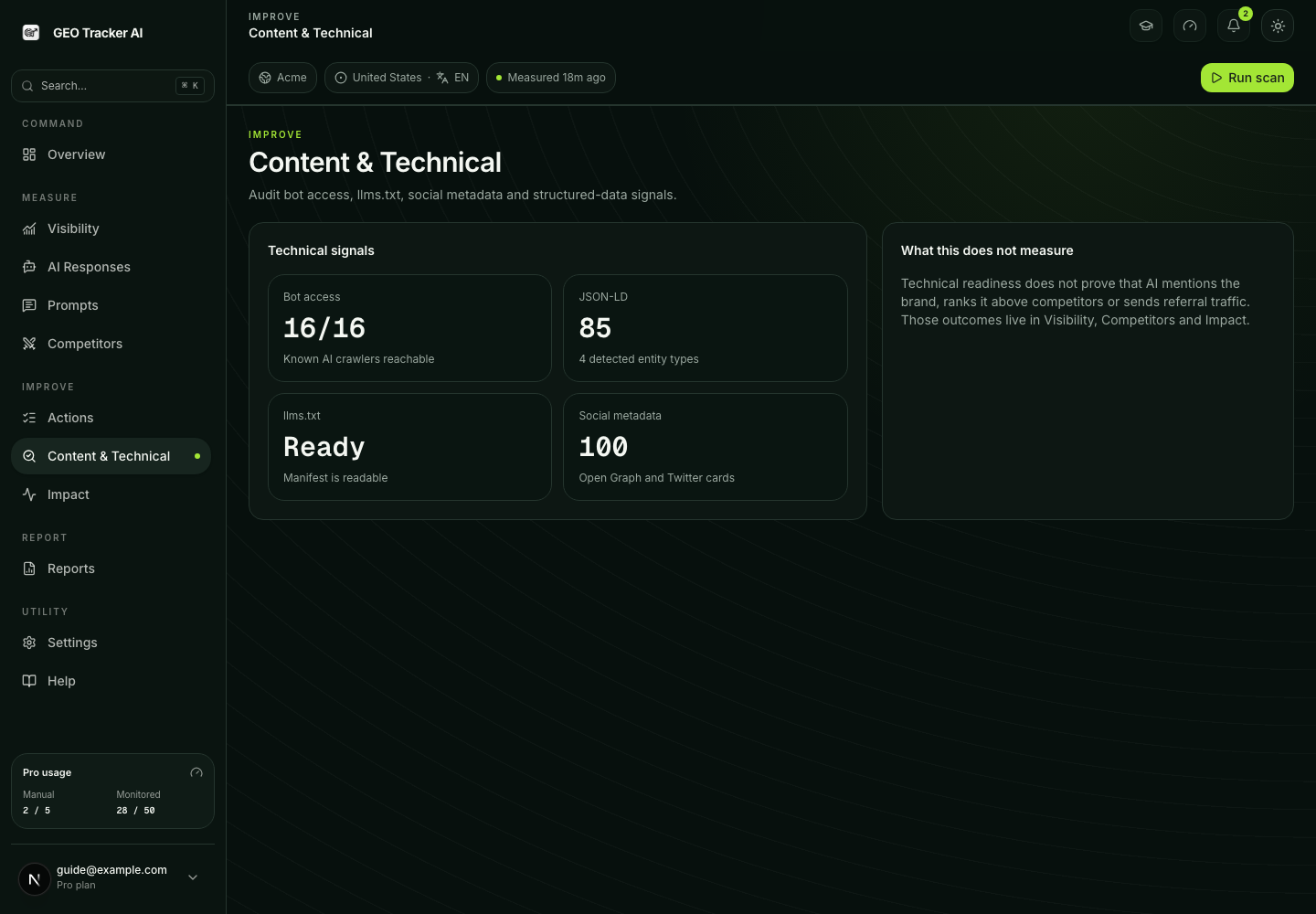
The four sub-scores combine into a 0–100 readiness number per page. The homepage and audited pages feed Content & Technical, where you can inspect the underlying evidence instead of relying on one unexplained score.
What you actually do with the score
Each row in the audit list shows the readiness number plus a small set
of actionable issues — for example, "Pricing page has no Product
JSON-LD", "Blog post is missing an author block", "Feature page meta
description is 36 characters (target 120–160)".
For schema-related issues we offer a one-click JSON-LD generator: the dialog produces a copy-ready block typed for the page's URL pattern and pre-filled with the page's actual title, description, OG image, and canonical URL.
JSON-LD types we generate
We type the schema by URL pattern so what we hand you matches what AI parsers expect:
| URL pattern | Schema type generated |
|---|---|
/ (homepage) | Organization + WebSite |
/about | AboutPage + Organization |
/pricing | Product (with Offer items) |
/blog/* | BlogPosting |
/docs/* | TechArticle |
/enterprise, /business | Service |
/careers/* | JobPosting |
| Anything else | WebPage (safe default) |
If the page is missing the data we'd need to generate honest schema (e.g. a blog post with no description), we refuse to generate and show an amber warning row instead. Filling JSON-LD with placeholders would make AI parsers worse at trusting your site, not better.
FAQ schema generator
Separately from JSON-LD, the FAQ generator looks at any page with a
<h3>Q…</h3> / <p>A…</p> pattern (or markdown equivalent) and
produces a FAQPage schema block with the questions and answers
preserved verbatim. This is the highest-leverage schema type for AI
visibility today — engines use FAQ blocks heavily as direct answer
sources.
What we don't do
Re-running an audit
Open Content & Technical and click Run first audit or Re-audit. The operation refreshes the homepage readiness snapshot and the available page-level audit evidence in the same run context.
A single audit takes 5–30 seconds depending on page count and your sitemap discovery speed. The cron runs Mondays 07:00 UTC by default.
What sits one layer below this
Content audit grades page-level signals, but it assumes AI bots can
actually fetch the pages in the first place. If your robots.txt
blocks OAI-SearchBot or your homepage sends X-Robots-Tag: noindex,
the highest-quality JSON-LD in the world won't help. Run the
AI Crawlability Monitor
first — see how AI bots discover your site
for the underlying taxonomy.