Manual, pulse, and deep scans
The scan rhythms that drive every dashboard number — what each one does, when it runs, and what counts toward your tier limits.
A scan is one buyer question sent through every AI engine on your plan, with the answers persisted into your scan history. Four different rhythms produce scans, and the tier limits below cap how many you can run in a given window.
The rhythms
| Rhythm | Triggered by | Cadence | What it covers |
|---|---|---|---|
| Manual | You — clicking Run scan in the dashboard or Re-run audit on the hero | On demand | The prompts you select in the dialog (one credit per prompt). |
| Weekly pulse | Cron — wakes daily at 08:00 UTC, but each monitored prompt is only due once every 168 hours | Weekly, per prompt | Your monitored prompts, each measured several times in a run and averaged. |
| Hero pin | The same pulse cron, for prompts you flagged as Hero | Daily (pinned to 24h, not floored) | Up to your plan's Hero slots — one measurement each. |
| Weekly deep | Cron — every Monday at 09:00 UTC | Weekly | All monitored prompts with weekly_deep cadence. |
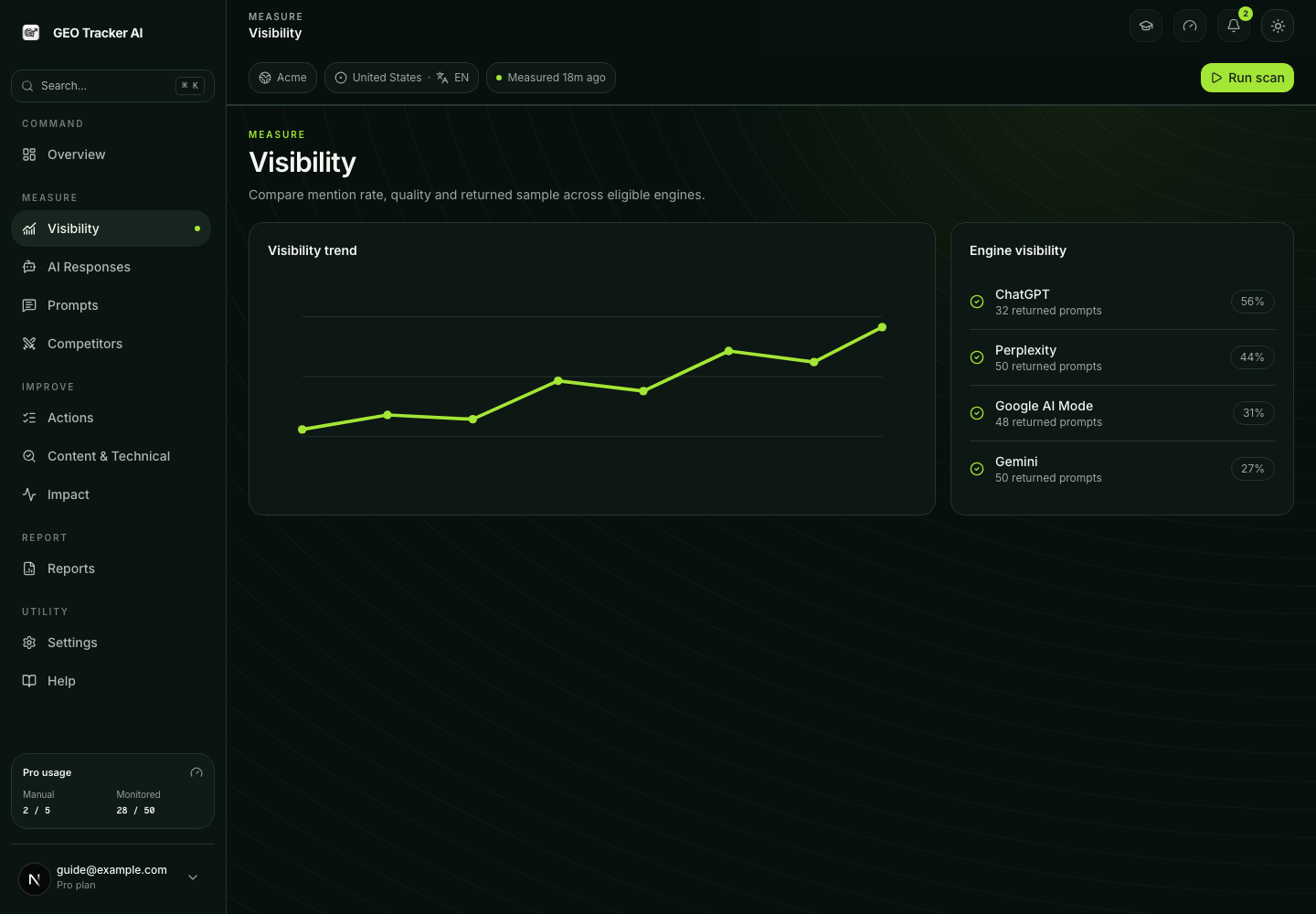
All of them produce the same kind of scan_results rows. The difference
is who kicks them off and how they consume plan capacity. Visibility shows
the comparable trend and engine coverage; AI Responses → Raw is where you
inspect the returned answer and cited evidence.
What counts as one credit
For manual scans we charge one credit per selected prompt. Engines included in your plan are not billed separately — running a prompt through every engine on your plan (up to five: Perplexity, ChatGPT, Google AI Mode, Gemini, and Google AI Overview) still costs one credit, not one per engine.
So if you click Run scan with five prompts selected, that's five credits out of your allowance for the window. If you select one prompt and uncheck two engines, that's still one credit (with fewer engines per scan_result).
Tier limits at a glance
| Limit | Free | Starter | Pro | Business | Scale |
|---|---|---|---|---|---|
| Manual scans / window | 5 / week (UTC, Mon reset) | 3 / day (UTC) | 5 / day (UTC) | 15 / day (UTC) | 30 / day (UTC) |
| Auto-monitored prompts | 1 | 15 | 50 | 150 | 500 |
| Measurements per monitored prompt (reps, averaged) | 1 | 2 | 3 | 3 | 2 |
| Hero Prompts (pinned to daily) | 0 | 0 | 5 | 10 | 20 |
| Weekly deep scans | 0 | 2 | 5 | 8 | 15 |
Free is included in the pulse cron too. It gets one monitored slot, floored to one run a week, and Free's engine matrix is Perplexity only — so that weekly pulse is a single Perplexity read and never ChatGPT or Google AI Mode. Paid plans add the weekly deep cron, more monitored slots, and more measurements per prompt on top of the manual budget.
How many times we measure each prompt
A pulse run does not read each prompt once. AI answers are noisy — the same question asked twice can name you once and skip you once — so each monitored prompt is measured several times per run and the results are averaged into one number.
| Limit | Free | Starter | Pro | Business | Scale |
|---|---|---|---|---|---|
| Measurements per monitored prompt (reps, averaged) | 1 | 2 | 3 | 3 | 2 |
Reps are why a weekly cadence beats a daily single read: three reads a week tell you more about a genuinely unstable answer than seven coin-flips do.
Hero Prompts — the daily exception
Every tier's pulse floor is 168 hours. Hero Prompts are the one deliberate exception: promote a prompt to Hero and it is pinned to a 24-hour cadence — not floored, pinned, so the stable-query decay never quietly stretches it back out. Hero runs use one measurement rather than your tier's full reps, which is what keeps the cost bounded.
| Limit | Free | Starter | Pro | Business | Scale |
|---|---|---|---|---|---|
| Hero Prompts (pinned to daily) | 0 | 0 | 5 | 10 | 20 |
When to use which
Use a manual scan right after a meaningful change:
- You shipped a new landing page or pricing tier — run a scan against the prompts most likely to surface that page.
- You changed positioning copy on the homepage — manual scan the next day to see if the framing carries through.
- A competitor publicly launched something — manual scan to capture the new baseline before AI engines start citing them.
Trust the weekly pulse for steady visibility tracking without clicking anything. The cron wakes every day; the per-tier floor decides which prompts are actually due, and that floor is 168 hours on every plan. Promote the two or three prompts you genuinely watch to Hero if you want them daily.
Trust the weekly deep scan for the long-form picture. It runs every monitored prompt (including the lower-priority "exploratory" ones) and is the stable snapshot the dashboard trend anchors on each Monday.
How monitored cadences work
Each saved prompt has a schedule mode, set from the row's schedule control:
- Off — the prompt stays in your list but is never scanned
automatically. Stored in the database as
on_demandwith monitoring cleared, so the cron cannot pick it up. - Pulse — monitored, picked up by the pulse cron whenever it is due.
Stored as
daily_pulse— a database value we kept for compatibility, not a promise about frequency. The real cadence is weekly. - Weekly deep — monitored, handled by the Monday deep cron only.
The schedule control is on each prompt row in /dashboard/prompts.
You can change it any time; the next cron run picks up the new value.
Reading scan history and raw evidence
Every result retains its trigger (manual, cron, or an on-demand action) and
scan mode (pulse or deep). Use AI Responses → Raw to inspect the exact
returned answer, engine, timestamp, citations and evidence state. Use
Reports for scan history and exports available on your plan.
- ✋ Manual scan — you clicked the button.
- 📡 Weekly pulse scan — the scheduled cron run.
- ✨ Weekly deep scan — Monday 09:00 UTC cron.
Missing engine evidence remains missing or partial. It is never converted into a negative answer or a 0% engine score. Details: AI Responses and citation search.
Common questions
"My manual scan returned 'rate limit reached'." You've used your plan's allowance for the current window. Free resets Monday 00:00 UTC; paid plans reset daily at midnight UTC. The error message tells you the exact reset time.
"Will the cron run if I'm logged out / asleep / offline?" Yes. Crons run server-side on Vercel's schedule independent of your session.
"What happens if a scan fails mid-batch?" Each prompt is processed independently. Successful results remain available; failed or missing engine coverage is reported as partial evidence rather than being counted as a negative answer.
"Can I trigger a 'scan everything right now'?" Use Run scan with all prompts selected, capped at your credit budget for the window. Above the cap, run again once the window resets.
"My scan was refused with 'profile incomplete'." Manual scans are gated on a complete targeting profile — business category, product description, target buyer, and at least three topics. Without them the suggest and scoring layers have no ground truth and would measure the wrong category, so we refuse rather than return a confident wrong number. The error deep-links to Settings → Targeting. Cron scans are deliberately not gated, so live monitoring never stops for an incomplete profile.